Multi-language
From version 1.2, our Booking Core system is ready for multi-language features, which means you can easily use multiple languages on your website. Here are some guidelines:
1. Enable Multi-Language
Firstly, navigate to Dashboard -> Settings -> General Settings -> Language :
1. Select the Main language: This is an important step in building your website content. Sub-languages are only compiled based on the primary language. So if you are using English as the main language and suddenly switch to Japanese, your website may break — because there is no core content available in Japanese to load
2. The next step, Enable Multi-languages: Check to the box to Enable Multi-languages for site
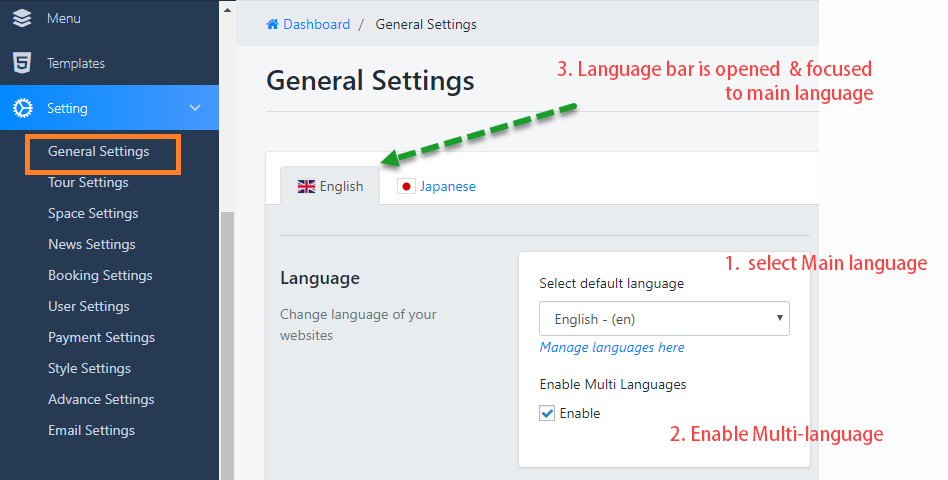
3. After activating the Multi-languages you will see your website has Language bar
2. Start to translate for site
We will start the example for the tour, there are 3 steps to complete: Tour content, tour attribute, and Tour Block on the homepage
1. Tour Content
The language bar only appears when updating an existed tour, which means you won't be able to create a language from the first tour creation.
This is the Tour content of the sub-language (Japanese), there will be some hidden content such as Images sections(Featured image, Gallery, video ..), the price section ..that have been set in the main language.
In sub-languages, you can only translate content that is textual

2. Tour Attributes
The law of multilingual is only able to translate the available content, as well this is the Tour's Attribute Management Part
In the Tour Attributes, there are 2 things need to clearly:
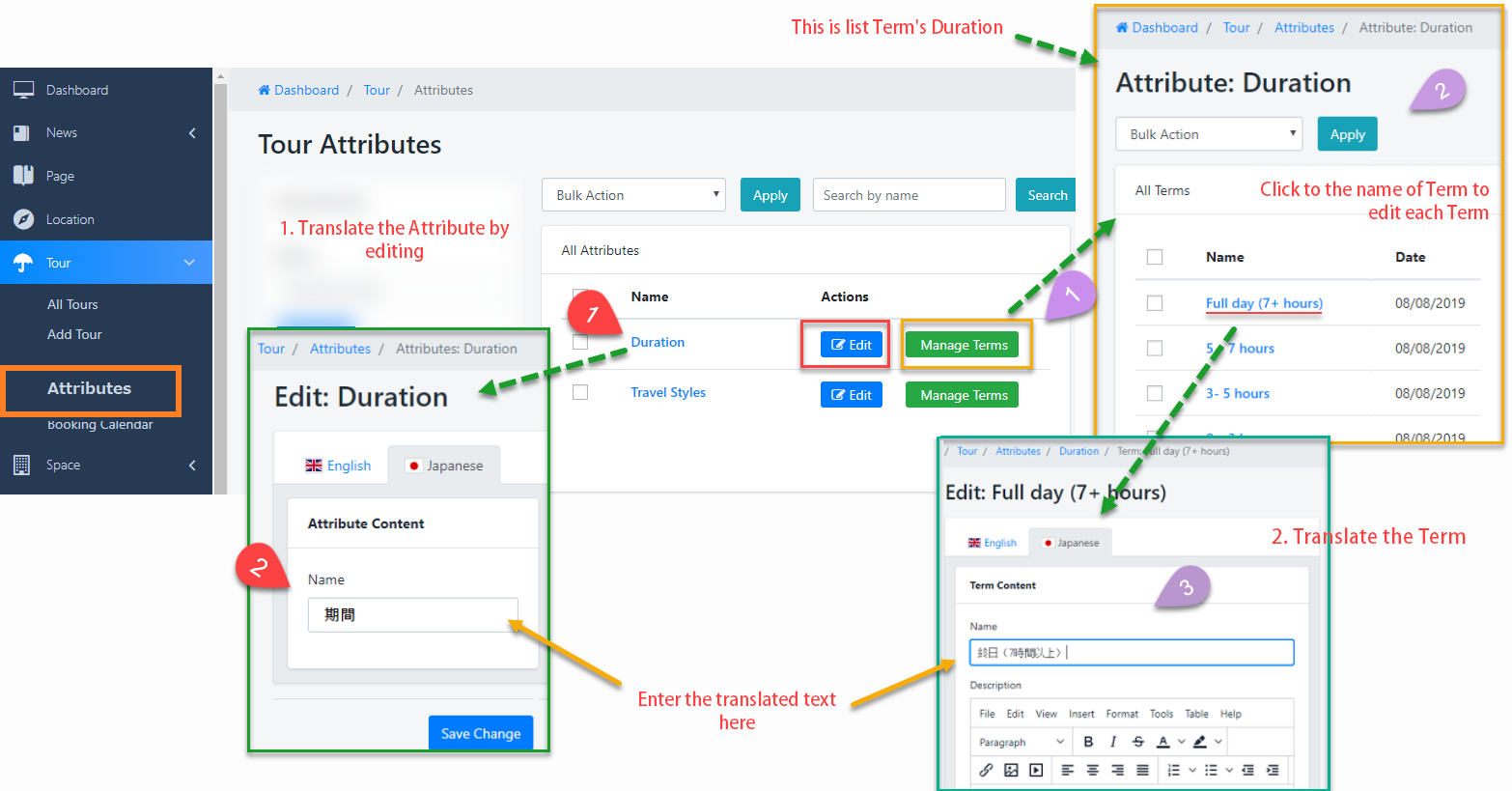
1. Multi-language for Attributes
- Click to edit button or Name of Attribute to go to edit page
- Navigate to the Sub-Language tab and do translate
2. Multi-language for Term's attribute
- Click to Term Manager of duration respectively to view list term
- Click to the Term's name to edit it
- Navigate to the Sub-Language tab and do translate
3. Tour Block of Homepage

4. Translate Booking Core script clicks here to know...
Was this article helpful?