Languages management
9459 views
•
Updated 1 hour ago
Around Translations Manager
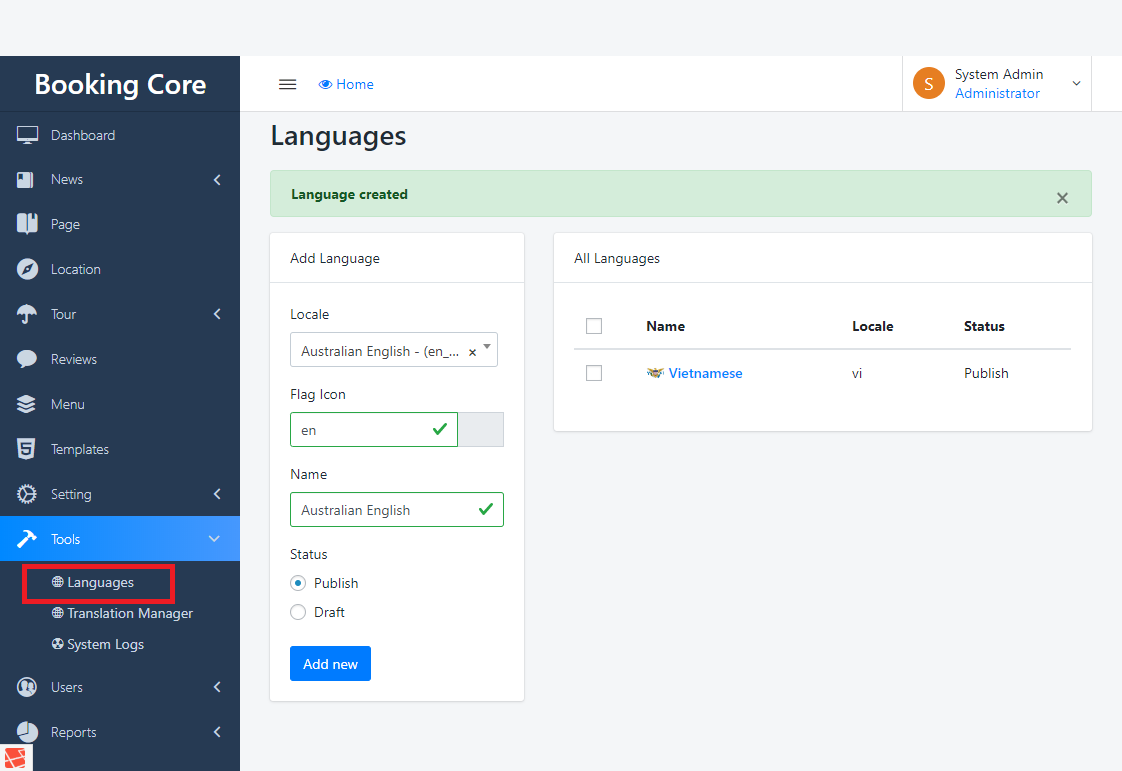
The First Step to build Multi-language is Create the Language for the site, navigate to Dashboard > Tools > Language
to see the Language Panel
1. Select the Language you want to add
2. Enter the Flag code of language, you can find more here
3. Press to Save button to build
Set the language for the site
Navigate to Settings > General Settings > Language this is a REQUIRED step, Select the main language to Apply the change.

Was this article helpful?