Live Chat
Pusher API is one of the essential features of the website, responsible for sending real-time messages to users.
By default, Pusher API is set to LOG mode. If it is not configured properly, the website may encounter 500 Server Errors on pages such as booking or checkout.
To work with the Pusher API, please follow these steps:
- Step 1: Register a Pusher account and obtain the configuration details (App ID, Key, Secret, Cluster).
- Step 2: Enter the configuration details into the system settings.
- Step 3: Make sure the server environment supports the connection to Pusher.
Then go to Dashboard > Settings > Advance Settings > Config Broadcast > Pusher
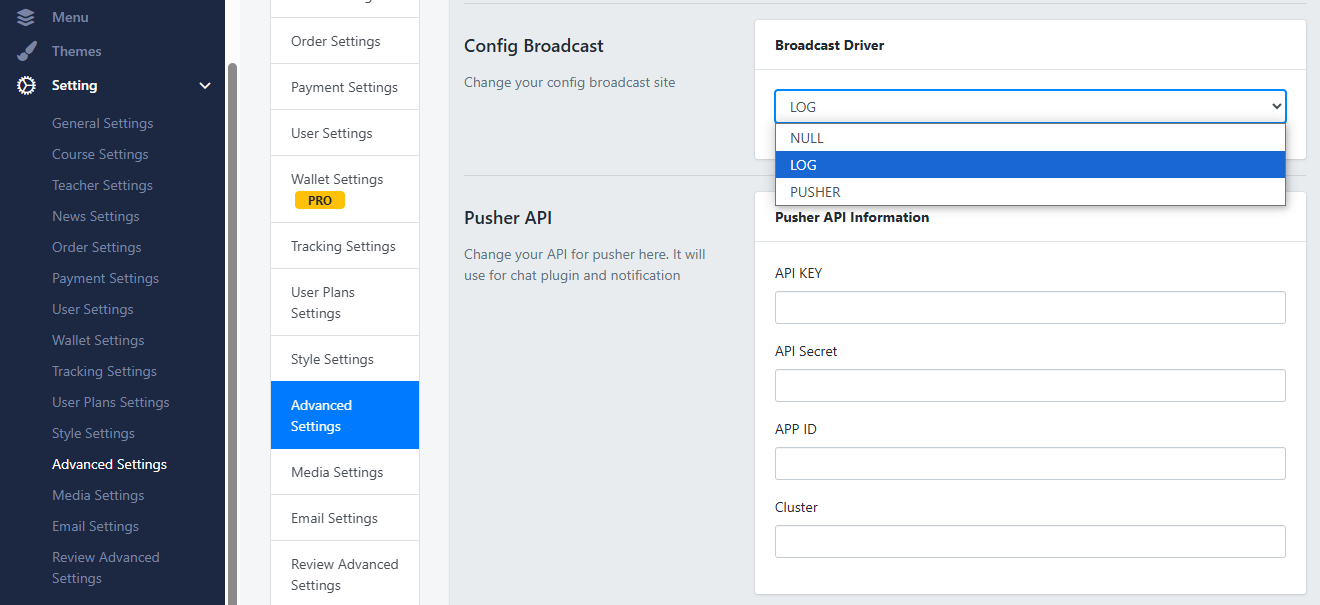
Pusher API Settings
This package uses Pusher API, so you need to :
Create an account and add it into the Settings > Advanced Settings of your Wedsite with your API credentials.
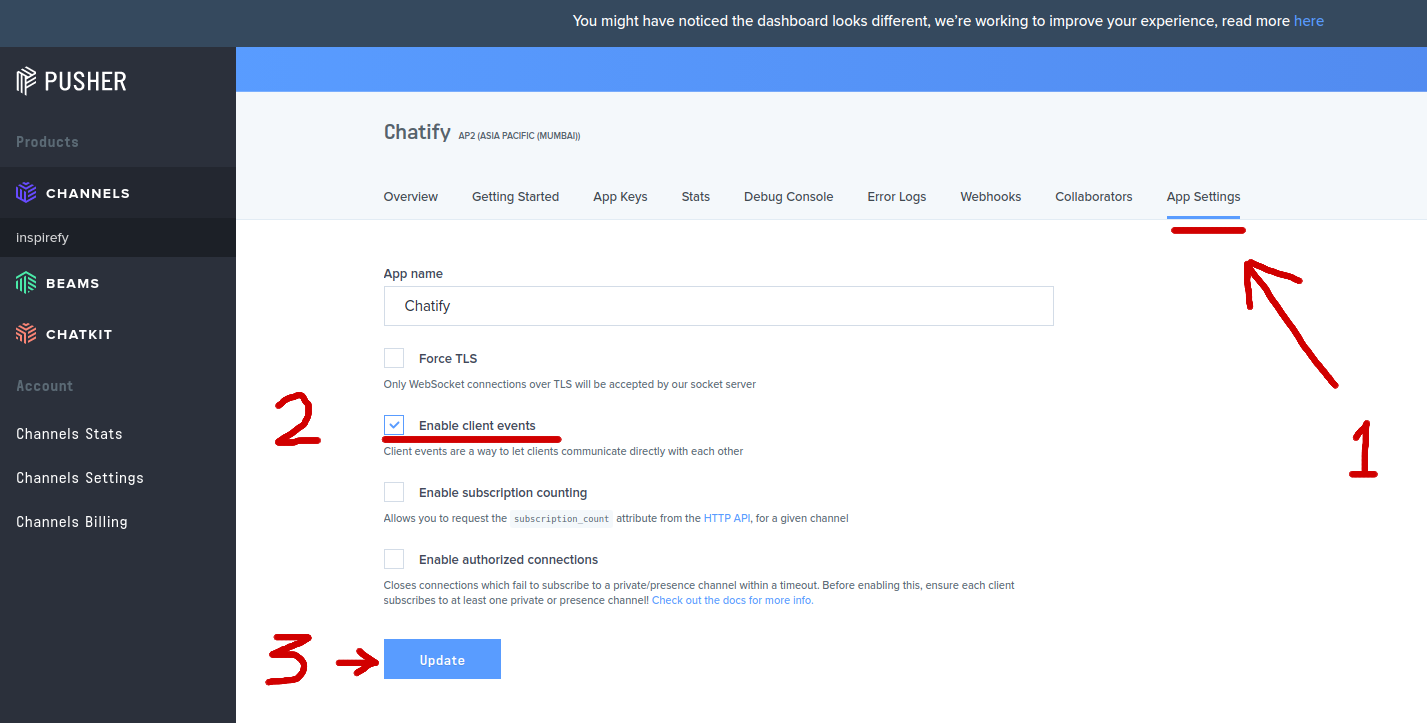
This package used Pusher client events, and client events must be enabled for the application. You can do this in the Settings tab for your app within the Channels dashboard.
Was this article helpful?